Correctly confirming an appointment may seem like a small detail, but it has a direct impact on the organization of any business that works by appointment.
Hairdressers, beauty salons, barbershops, clinics, physiotherapists or tattoo studios manage dozens of bookings daily. If the customer is not clear about the date, time or service contracted, the chances of forgetfulness, confusion or absences increase.
That’s why knowing how to confirm an appointment with clients and automate this process can help you save time, improve the customer experience, and keep your schedule better organized.
Why is it important to confirm an appointment?
The confirmation serves to record that the reservation has been made correctly and to provide the customer with the information they need.
In addition, it allows errors to be detected from the beginning.
Imagine a customer thinks they’ve booked for Tuesday at 5:00 p.m., but the appointment has been registered for Wednesday. If you receive a confirmation immediately, you will have the opportunity to detect the error and report it.
A good confirmation helps to:
- Avoid confusion with dates and times.
- Convey a more professional image.
- Reduce booking errors.
- Keep the customer informed.
- Improve the organization of the agenda.
- Facilitate subsequent changes or cancellations.
When should an appointment confirmation be sent?
It is recommended that the customer receives confirmation at the time of booking.
Confirmation should not be confused with a reminder.
The confirmation communicates that the appointment has been successfully recorded. Reminders, on the other hand, are sent later to prevent the customer from forgetting to attend.
Therefore, both messages fulfill different functions within good appointment management.
What information should an appointment confirmation include?
The message should be simple and allow the customer to quickly identify their reservation.
Depending on the business and service, it may include information such as:
Client Name
Personalizing communication helps make the message feel closer and allows the recipient to be correctly identified.
Date of appointment
This is one of the most important pieces of information. It should always appear clearly to avoid confusion.
Time
Indicating the exact time allows the customer to organize in advance.
Reserved service
In those businesses that offer different services or treatments, specifying the reservation can avoid mistakes.
Additional information
Where necessary, relevant information related to the appointment or establishment may also be included.
The key is to avoid unnecessarily long messages. The customer must be able to see important data at a glance.
Sample message to confirm an appointment
A simple message might follow a structure like this:
Hello, [Name]. Your appointment has been successfully booked for the [day] at [time]. We are waiting for you!
From this structure, each business can adapt the tone to its usual way of communicating.
A clinic may use more formal language, while a hairdresser, barbershop or beauty centre may opt for a closer message.
Confirming an appointment is not the same as remembering it
This difference is important.
When a customer books today in two weeks’ time, the confirmation serves to indicate that the reservation is registered.
But that doesn’t mean I’ll remember the appointment when the day comes.
That’s why a good strategy combines appointment confirmations and reminders.
For example:
- Confirmation at the time of booking.
- Reminder one day before.
- Reminder one hour before.
Thus, the customer has the information from the first moment and receives it again when the appointment approaches.
Is WhatsApp useful for confirming appointments?
WhatsApp has become a common channel of communication between businesses and customers.
For establishments that work by appointment, it allows the information related to the reservation to arrive directly to the device that the customer consults daily.
It can be used for communications related to:
- Confirmations.
- Reminders.
- Changes.
- Cancellations.
- Other information associated with the appointment.
Automation is especially important when the business is handling a high volume of bookings.
The problem with confirming appointments manually
When you have five appointments a day, manually messaging can seem manageable.
But imagine a center with several professionals and dozens of daily appointments.
The team would have to:
- Constantly review new bookings.
- Find the phone number of each customer.
- Write the message.
- Check date and time.
- Send it.
- Repeat the process with each booking.
In addition to being time-consuming, this system increases the chances of making mistakes or simply forgetting to send a confirmation.
How to Automate Appointment Confirmation with Wilapp
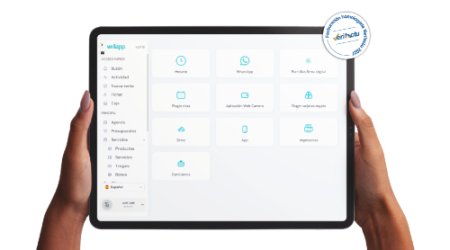
With Wilapp, appointment-related communication can be automated to save the team from having to perform these processes manually.
When a booking is registered, the customer can automatically receive the communication corresponding to their appointment.
In addition, Wilapp accompanies the client during different moments of the process:
- Confirmation at the time of booking.
- Reminder one day before.
- Reminder one hour before.
- Notice when an appointment is modified.
- Notice when an appointment is cancelled.
- Ticket submission.
In this way, communication does not depend on a worker remembering to send each message.
What happens if an appointment is modified?
Schedule changes are common in any business.
A customer may need to bring forward their appointment or the establishment may have to rearrange the agenda.
When this happens, it is important that the updated information reaches the customer to prevent them from coming at the previous time.
With Wilapp, communications associated with appointment modifications can also be managed, keeping the customer informed.
What if the appointment is cancelled?
The same goes for cancellations.
Clear communication avoids unnecessary travel and possible misunderstandings.
Therefore, confirmations, modifications and cancellations should be part of the same communication system linked to the agenda.
Benefits of Automating Appointment Confirmations
You save time
The team stops manually sending the same messages over and over again.
Reduce errors
The information comes directly from the reservation registered in the system.
Improve the customer experience
The customer receives information about their appointment from the moment they book it.
You professionalize communication
All bookings follow an organised process, regardless of the professional who manages them.
You keep your agenda better organized
Clear communication helps avoid mistakes and makes it easier to manage potential modifications.
Common mistakes when confirming an appointment with a client
Although the process is simple, there are some mistakes that should be avoided:
Do not send any confirmation
Relying solely on the customer to remember what was spoken on the phone can lead to confusion.
Sending the commit too late
Ideally, you should arrive when the booking is made, not several days later.
Forgetting important information
A confirmation without a date or time loses much of its usefulness.
Confusing confirmation and reminder
Confirming a reservation doesn’t eliminate the need to send reminders when the date approaches.
Do the entire process manually
The higher the number of appointments, the more difficult it will be to maintain this system without investing too much time.
Automatic confirmation for hairdressers, beauticians, clinics and other businesses
Automation can be especially useful for businesses with a steady flow of appointments, such as:
- Hairdressers.
- Barbershops.
- Beauty centers.
- Clinics.
- Private consultations.
- Physiotherapy centres.
- Tattoo studios.
- Wellness centers.
- Other businesses by appointment.
In these establishments, each administrative task that is automated frees up time to better serve the customer.
Frequently asked questions about how to confirm appointments
When should I confirm an appointment?
Ideally, you should send the confirmation immediately after registering the reservation.
Should I send another message before the appointment?
Yes. Confirmation and reminder serve different purposes. If you have doubts about how many appointment reminders to send and when to schedule them, the ideal is to combine 24-hour and 1-hour notice to reduce forgetfulness to a minimum.
What should appear in a confirmation message?
At the very least, it must allow the date and time of the reservation to be clearly identified. It can also include the customer’s name, service, and other relevant information.
Can I automate commits?
Yes. With management software like Wilapp, you can automate appointment-related communications and avoid having to make each submission manually.
What happens if I change or cancel an appointment?
It is advisable to inform the customer immediately to avoid confusion. Wilapp also provides communications when an appointment is modified or canceled.
Conclusion
Knowing how to confirm an appointment with clients is critical to maintaining an organized schedule and providing a professional experience.
The key is to communicate the right information from the moment of booking and then supplement that confirmation with reminders.
With Wilapp you can automate confirmations, reminders, and notices associated with modifications and cancellations, avoiding repetitive tasks and keeping your customers informed throughout the process.
Because good appointment management starts long before the customer arrives at your business.