If you have a hair salon, beauty salon, barbershop, clinic, or any business that operates by appointment, you may have thought about organizing appointments in Excel.
And it makes sense: it’s a familiar tool, allows you to create tables quickly, and may seem like enough when you have few clients.
The problem arises when the agenda begins to grow.
Last-minute changes, cancellations, various professionals, clients writing on WhatsApp, online bookings, reminders… What started as a simple sheet can quickly become a difficult system to manage.
In this guide we explain how to organize appointments in Excel and, above all, when it may be time to stop doing it.
How to Create an Appointment Agenda in Excel
To create a basic agenda, you can start with a spreadsheet and set different columns.
For example:
| Date | Time | Client | Phone | Service | Professional | Status |
| 12/10 | 10:00 | Laura | XXX XXX XXX | Facial treatment | Ana | Confirmed |
| 12/10 | 11:30 | Carlos | XXX XXX XXX | Cutting | Peter | Pending |
| 12/10 | 13:00 | Marta | XXX XXX XXX | Manicure | Ana | Confirmed |
From here you can use filters, formats, and different tabs to organize the information.
What information should I include?
At the very least, it is useful to record:
- Date.
- Time.
- Customer’s name.
- Telephone.
- Service.
- Duration.
- Professional.
- Appointment status.
- Observations when necessary.
If you have multiple workers, you can also create filters by professional or separate certain areas.
So far, Excel can work.
The problem starts when you need that sheet to do more than just save information.
The advantages of organizing appointments in Excel
Excel can be useful in certain situations, especially when you’re just starting out.
Among its advantages we find:
It is a well-known tool
Many people already know how to use the basic functions of a spreadsheet.
You can customize it
You can add columns, filters, and categories according to your business needs.
Get started quickly
Creating a basic table takes little time.
Therefore, for a professional with very few appointments, it may seem like a sufficient solution.
So why don’t we recommend using Excel as your primary appointment management system?
1. Excel is not an appointment planner
This is the main difference.
A spreadsheet is used to store and organize data.
A digital business planner is specifically designed to manage bookings.
With Excel you can write:
Laura – 17:00 – Facial treatment.
But the archive does not manage by itself everything that happens around that appointment.
As the volume of bookings grows, that difference becomes more and more important.
2. Changes require manual management
A customer writes:
“Can you change my appointment from Tuesday to Thursday?”
You have to open the document, find your reservation, check availability and modify it.
Then comes another cancellation.
Then another new reservation.
And so on throughout the day.
When all changes depend on manual updates, the risk of forgetfulness and errors increases.
If this is one of your main problems, check out our guide on how to organize your business appointments without going crazy.
This article specifically works on the general organization of the agenda, while this post is aimed at those who want to use Excel to manage appointments.
3. You can’t automate reminders as part of the appointment
Let’s say you have 20 customers tomorrow.
With a spreadsheet you can check their phones and know what time they are coming.
But then you will have to manage the corresponding notifications using other tools or processes.
In a system designed to manage appointments, scheduling and communications can be connected.
With Wilapp, for example, you can automate:
- Confirmation when booking.
- Reminder one day before.
- Reminder one hour before.
- Notices of modifications.
- Notices for cancellations.
If your main problem is notifications, check out our guide on programs to send appointment reminders on WhatsApp.
This prevents this article from competing for searches specifically related to automatic reminders.
4. Your customers can’t book directly in Excel
Another problem appears when you want to reduce calls and messages to make an appointment.
Excel can show you your bookings, but it doesn’t work on its own as a booking system connected to your business’s availability.
If you want to allow your customers to book online, you need a tool designed for it.
You can find more information in our guide to online bookings without commission.
5. Managing multiple professionals gets complicated
Imagine a hair salon with five workers.
Each has:
- Different schedules.
- Different services.
- Breaks.
- Vacations.
- Quotes.
- Different durations.
You can create tabs, colors, and filters in Excel.
But the more complex the organization of the business, the more complex the spreadsheet will also be.
A tool that was initially meant to simplify work may end up needing more and more maintenance.
6. You can make mistakes and duplicate appointments
When multiple people manage an agenda manually, problems can arise.
For example:
A worker consults availability.
Another receives a call.
Two customers request the same schedule at almost the same time.
If the system relies on manually entering and reviewing each piece of data, there is more room for error.
In a professional agenda, availability is part of the booking system itself.
7. Excel also doesn’t remember appointments for your customers
You can have the sheet neatly organized and still arrive at 5:00 p.m. and find that the customer doesn’t show up.
An organized agenda is of little use if part of the bookings end up becoming no-shows.
If you’re having this problem, learn what to do when a client doesn’t show up for their appointment.
You can also calculate its economic impact with our missed appointment loss calculator.
8. Customer information is limited
When you use Excel, you can add columns to store information.
Then you add another one for observations.
Another for the last service.
Another to know when he came.
Another to write down additional information.
You’re slowly trying to turn a spreadsheet into a customer management system.
A dedicated solution allows you to relate customer information to their appointments and other areas of the business without having to manually build that entire structure.
Excel vs. digital calendar: main differences
| Function | Excel | Digital agenda |
| Register appointments | Yes | Yes |
| Check schedules | Yes | Yes |
| Specific management of professionals | Manual | Yes |
| Online bookings | Not natively | Yes |
| Reminders linked to appointments | Requires additional solutions | Yes |
| Change Management | Manual | Integrated |
| Customer Management | Basic/Manual | Integrated |
| Automation | Limited | Yes |
| Scalability | Limited | Older |
Excel can help you record appointments.
A digital planner can help you manage them.
And that difference is especially important when the number of customers increases.
When should you stop using Excel for appointments?
There is no exact number of bookings from which you have to change your tool.
However, there are some clear signs:
- You waste too much time updating the sheet.
- You receive a lot of bookings by WhatsApp and phone.
- You have several professionals.
- Have you ever duplicated a date?
- You send reminders manually.
- Customers forget their reservations.
- You need online bookings.
- You have to check several sites to find out a customer’s information.
- Managing your agenda takes away your attention time.
If you recognize several of these situations, Excel is probably no longer simplifying your work.
What is the alternative to Excel for organizing appointments?
As your business grows, you can move from a spreadsheet to a solution specifically designed to manage clients and bookings.
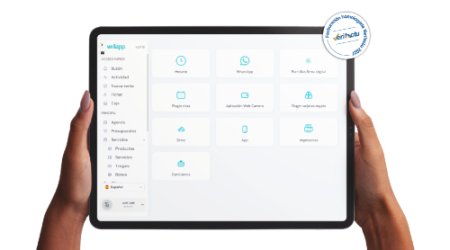
With Wilapp you can centralize different processes such as:
- Digital agenda.
- Customers.
- Online bookings.
- Professionals.
- Services.
- Automatic reminders.
- Changes and cancellations.
- Invoicing.
- Tickets.
- Other management tools.
You can check all the functionalities directly in Wilapp.
In this way, we reserve the main page for commercial intent related to the full software and keep this post positioned specifically for those looking for how to arrange appointments using Excel.
Excel can be used to get you started, but it doesn’t always have to accompany you
Using Excel doesn’t mean you’re mismanaging your business.
For an activity that has just started and has few bookings, it can be a simple solution.
The problem arises when you try to continue using the same system even though the volume of customers, workers, and tasks has increased significantly.
A good question is:
How much time do you spend each week keeping your schedule organized?
If you continually have to update cells, check WhatsApp, confirm schedules, and send reminders, the real cost of Excel may not be the price of the tool.
It’s your time.
FAQs about arranging appointments in Excel
Can you create an appointment planner in Excel?
Yes. You can create columns for dates, times, clients, services, professionals, and booking statuses.
Is Excel suitable for a hairdresser or beauty salon?
It can serve as a basic system when there are few reservations, but it has limitations when you need to manage several professionals, online reservations, clients or automatic communications.
How to send reminders from an Excel calendar?
Excel alone doesn’t work as a comprehensive WhatsApp appointment reminder system. To automate that process, you’ll need additional tools or integrations.
What alternative can I use?
A dedicated digital agenda allows you to connect appointments, availability, clients, online bookings and communications within the same system.
When should I move from Excel to a digital calendar?
When manually managing the sheet starts to consume too much time, the volume of appointments increases or you need functionalities such as online bookings, reminders or management of several professionals.
Conclusion: Organize Your Appointments, Not Your Excel Sheet
If you were looking for how to organize appointments in Excel, you can start by creating a table with dates, times, clients, services, and professionals.
But you also need to ask yourself if you really want to spend your time keeping that chart up to date.
When your business starts to grow, a digital planner allows you to go beyond registering appointments: you can centralize customers, manage availability, automate communications, and facilitate bookings.
With Wilapp, you can replace different manual processes with a connected system to manage your business.
Because Excel can tell you who’s coming tomorrow.
A good management tool can help you organize everything that happens before, during, and after that appointment.